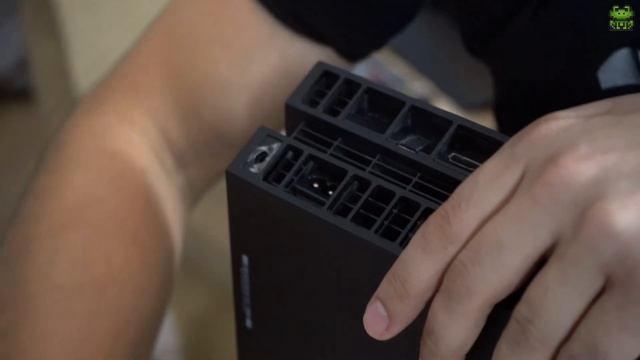
PS4 Overheating Fix: Disassembly, Fan Cleaning & Thermal Paste Replacement

Описание
This video shows the ultimate solution how to fix your PS4 fat overheating issues! The guide for disassembling PlayStation 4, fan cleaning and replacing thermal paste applies to various models: CUH-1001A, CUH-1115A, CUH-1215A, CUH-1216A.
Buy tools and parts on AMAZON:
Screwdriver Set: https://hfixt.com/spro
Opening Tool Set: https://hfixt.com/pryt
Magnetic Mat: https://hfixt.com/mat
Tweezers: https://hfixt.com/tzrs
Thermal paste: https://hfixt.com/past
Thermal pads: https://hfixt.com/tpad
Global AliExpress:
Screwdriver set: https://hfixt.com/alis
Opening tool set: https://hfixt.com/alit
Magnetic Mat: https://hfixt.com/amat
Tweezers set: https://hfixt.com/altz
Thermal paste: https://hfixt.com/alip
Thermal pads: https://hfixt.com/apad
*Useful links*
PS4 Reassembling: https://youtu.be/qeQueXlmZlE
PS4 Liquid metal vs Thermal Paste: https://youtu.be/HMQ59icUG4A
The best thermal paste for PS4: https://youtu.be/rwSuyQOzgPo
More DIY repair guides on https://how-fixit.com
FOLLOW ME:
Instagram: https://www.instagram.com/howfixit/
Facebook: https://www.facebook.com/HowFixit/
Twitter: https://twitter.com/HowFixit
*DESCRIPTION*
Welcome to the HowFixit channel, where we bring you the ultimate solution to your PS4 overheating issues! In this video, we dive deep into the process of PS4 disassembly, fan cleaning, and thermal paste replacement to tackle overheating problems head-on. This step-by-step tutorial applies to various PlayStation 4 models: CUH-1001A, CUH-1003A, CUH-1008A, CUH-1108A, CUH-1115A, CUH-1208A, CUH-1215A, CUH-1216A.
? Step-by-Step PS4 Disassembly Guide:
Are you tired of your PS4 sounding like a jet engine? Our comprehensive disassembly guide will show you how to take apart your PS4 safely and efficiently.
? Effective Fan Cleaning Techniques:
Dust and debris buildup can lead to overheating. Learn the best practices to clean your PS4's heatsink and fan thoroughly, ensuring optimal airflow and performance.
?️ Thermal Paste Replacement Made Easy:
Over time, the thermal paste in your PS4 can dry out and lose its effectiveness. I'll walk you through the process of applying new thermal paste to keep your console running cool.
? Say Goodbye to Overheating:
By following our expert tips and techniques, you can say goodbye to PS4 overheating issues and enjoy uninterrupted gaming sessions.
Join us in fixing your PS4 overheating problem today!
Timecode:
00:00 Introduction to guide
00:25 Screwdrivers and tools for PS4 maintenance
01:39 How to open PS4 game console housing
02:05 Removing the power supply
03:16 How to disassemble PS4 power supply
04:18 Removing the Hard Drive
06:40 Check thermal pads
06:50 Removing the motherboard
07:11 Wiping off old thermal paste
07:45 Applying fresh thermal paste
08:02 Proper distribution of thermal paste on the PS4 processor chip
08:21 Cleaning PS4 cooling system from dust
08:55 Heatsink cleaning
09:14 Removing and cleaning the fan
DISCLAIMER
This video intended for general information only. We will not accept any liability for damage or injury caused while following this guide. Any reliance you place on such information is therefore strictly at your own risk.
AFFILIATE PROGRAM
We are a participant in the Amazon Services LLC Associates Program, an affiliate advertising program designed to provide a means for us to earn fees by linking to Amazon and affiliated sites.
#howfixit #ps4 #fix #playstation4 #doityourself
Рекомендуемые видео